
Run the business side without losing time behind the chair.
Chair Side turns Claude, ChatGPT, Gemini or Grok into the front desk manager and business coach a stylist rarely has. Price every service from your real time and product cost, write booking and no-show policies clients accept, keep clean consult and color formula notes, rebook and recommend retail without feeling pushy, and post on social media without staring at a blank screen.
Get Chair Side Salon Assistant for $12 Price the service
$12 once · card, Apple Pay or Google Pay · download in a minute
- One-time $12
- Instant email delivery
- 14-day refund
- Works in Claude, ChatGPT, Gemini and Grok
Price: full highlight and toner
Commission stylist · 2 h 15 min · lightener, toner and foils $22
Pay: $25/hrChair overhead: $18/hrTarget profit: 20%
- Price$155, from $154.02 exact(time × $43 + $22 product) ÷ (1 − 20% − 2.9% card fee)Price
- SafetyPatch test 48 hours beforeAnd a strand test on previously colored hairCheck
- Policy48-hour notice, card on file50% fee for late cancel, 100% for no-showPolicy
- RebookRebook at 8 weeks before she leavesOne line at the chair, not at the deskScript
- SocialBefore and after post with captionWith the client's written OK to postPost
Everything that happens away from the chair
One skill, six jobs. Claude, ChatGPT, Gemini or Grok picks the right one from what you ask.

Service pricing
Price cuts, color and treatments from service time, pay, chair overhead and product weighed in grams.
Booking and no-show policies
Deposits, cancellation windows, late arrivals and no-shows, worded firmly and kindly.
Consult notes
A consult checklist and client record: history, goals, photos, budget, maintenance and what was promised.
Rebooking and retail scripts
Natural words for rebooking at the chair and recommending products that fit the service.
Social posts
Captions, weekly post ideas, review replies and slow-day fill messages in your voice.
Color formula notes
Clean, repeatable formula records with grams, developer, timing and results, plus safety reminders.
Ask it like you'd ask a seasoned salon owner
It knows how a chair turns into a full, profitable book.
Be honest at the consult
Box black to platinum is rarely safe in one day. Tell her the goal is possible over 2 to 4 sessions, spaced 4 to 6 weeks apart, and that her hair's condition decides the pace.
Before you book
- Patch test 48 hours ahead, as the product instructions require.
- Strand test with your lightener and a bond builder to see how it lifts and holds up.
- Ask about henna, metallic dyes and past relaxers: some box dyes react badly with lightener.
Quote it as a plan
Price the first session as a color correction by time, give a range for the full plan, and write it in her client record. Suggest a bright, healthy in-between shade she'll love on the way.
Example answer from the full skill. Your answers depend on what you ask.
Honest about the chair
You know hair. Chair Side handles the words, the policies and the math.
- Real pricing mathIt shows how each price is built, so you can check it against your book.
- Safety comes firstPatch tests, strand tests and the manufacturer's instructions win over any formula idea.
- Your license, your boardLicensing, sanitation and booth rental rules come from your state board or local regulator.
- Not legal or tax adviceContracts, employment status and taxes go to a lawyer or accountant.
Up and running in two minutes
No app to learn and nothing to install on your computer. It lives inside Claude, ChatGPT, Gemini or Grok.
Buy once
Pay $12 by card, Apple Pay or Google Pay. Your download link arrives by email in about a minute.
Add it to Claude, ChatGPT, Gemini or Grok
Upload the ZIP under Skills in Claude, or the unzipped folder in Gemini. It takes about 30 seconds. In Grok, upload the ZIP, or paste the included paste-in file into a new skill. In ChatGPT, add the included paste-in file to a Project.
Just ask
"Price a balayage that takes 3 hours with $28 of product." "Write a no-show policy for my booking page." "Give me a rebooking line that doesn't sound salesy."
Pick your app for the exact clicks
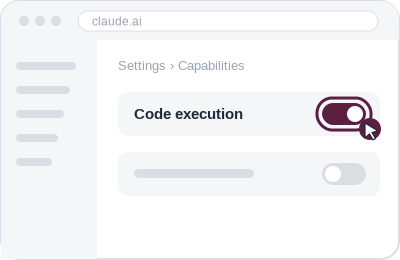
1In Settings, then Capabilities, turn on code execution.
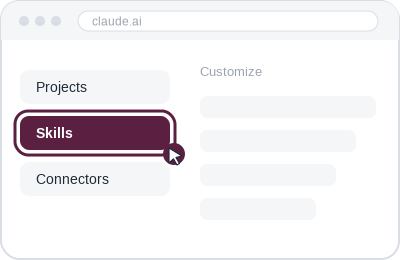
2Open Customize, then Skills.
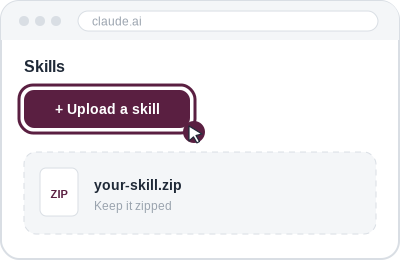
3Click +, choose Upload a skill, pick the ZIP. Keep it zipped.
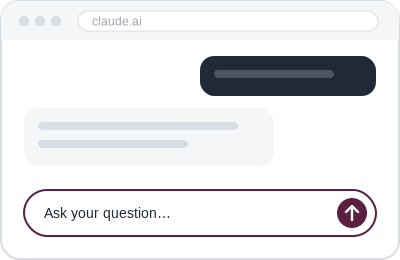
4Start a new chat and ask. Claude picks up the skill.
Works on every Claude plan, including the free one. Free plans have lower usage limits.
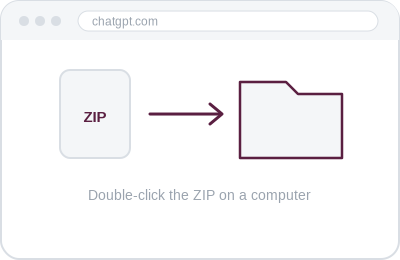
1On a computer, unzip the download and find ANY-AI-PASTE-VERSION.txt.
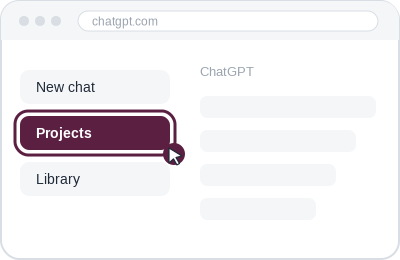
2In ChatGPT, open Projects and make a new project.
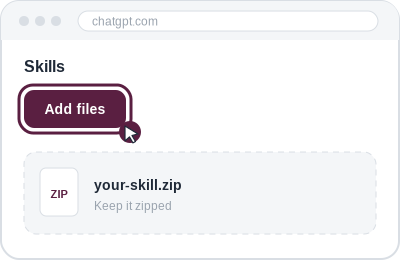
3Add the .txt file to the project. In its instructions, type: Follow the attached file.
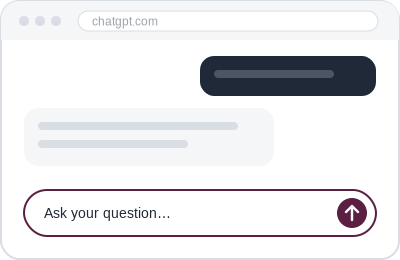
4Start a chat in that project and ask. On a Business, Enterprise or Edu plan, you can upload the ZIP under Skills instead.
Personal ChatGPT plans (Free, Plus, Pro) don't have a Skills page yet, so you use the paste-in version in a Project. On a Business, Enterprise or Edu plan, go to chatgpt.com/skills, choose Add, then Upload from your computer.
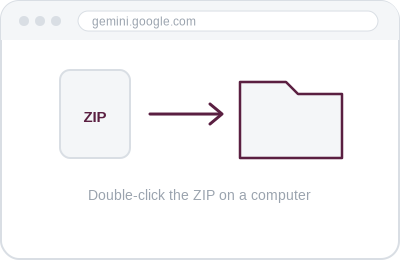
1On a computer, unzip the download. You get a folder.
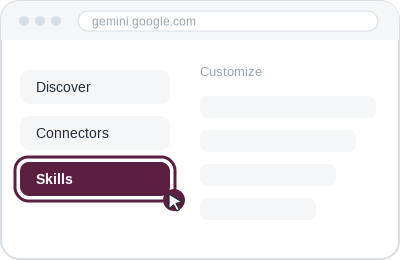
2At gemini.google.com, open Customize, then Skills.
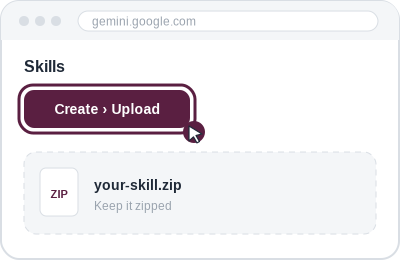
3Choose Create, then Upload, then folder. Pick the unzipped folder.
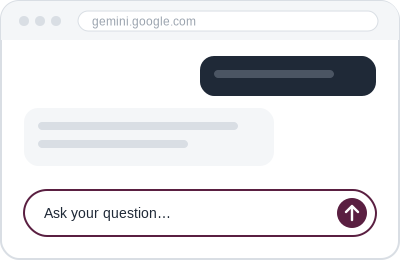
4Start a new chat and ask.
Gemini takes the unzipped folder, not the ZIP. Menus in Gemini change often, so names may differ slightly.
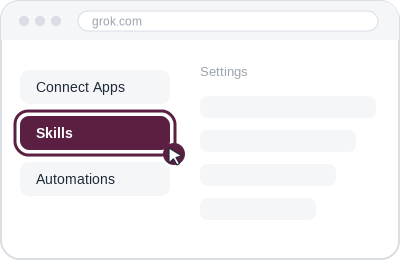
1At grok.com, open Settings, then Skills.
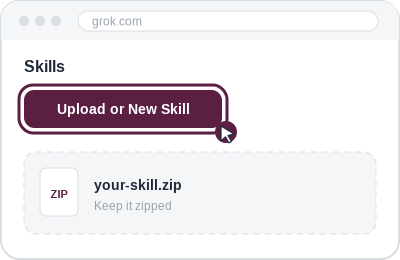
2If you see Upload, pick the ZIP. If you only see New Skill, use the next step.
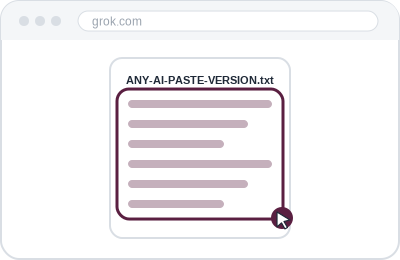
3New Skill: name it, then paste the text of ANY-AI-PASTE-VERSION.txt (below the line of equals signs) into Instructions.
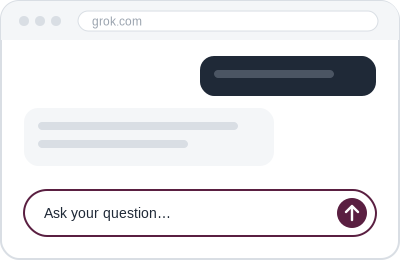
4Save it, start a new chat and ask.
Some Grok plans upload the ZIP; others show a New Skill form, where you paste the skill text in. Menus in Grok change often, so names may differ slightly.
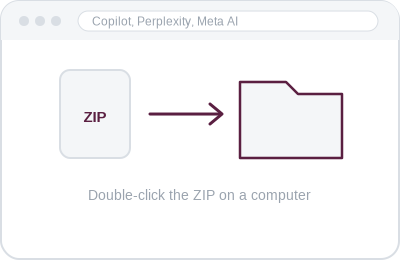
1No Skills page? Unzip the download on a computer.
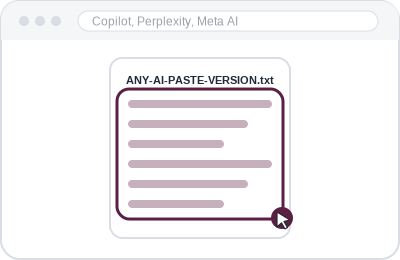
2Open ANY-AI-PASTE-VERSION.txt and copy everything.
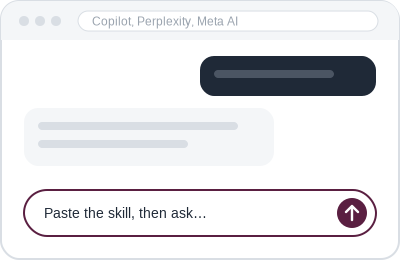
3Paste it into a new chat, then ask your question.
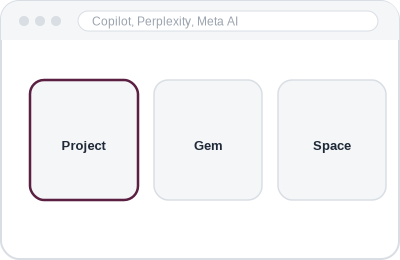
4To keep it on, add it to a ChatGPT Project, Gemini Gem or Perplexity Space.
Using Claude Code, Codex, Cursor or another coding agent? Unzip it into the skills folder, for example unzip chair-side-salon-assistant.zip -d ~/.claude/skills/
On your phone? Go ahead and buy: the download link goes to your email and works for a year. Adding a skill is easiest from a computer, in a web browser or the desktop app, so open that email there when you're ready. Want to try it on your phone today? Open the ZIP, copy ANY-AI-PASTE-VERSION.txt into any chat app, and ask.
Start with the free Price Sheet
A small skill that prices your service menu from your time, pay, overhead and product cost, and shows the math for every service.
- Cost per minute for your chair
- Each service priced from time and product
- A clean menu you can post
Get Chair Side Salon Assistant
Pay once, use it for every client and every service. No subscription. Includes the free Price Sheet too.
How to add it
Upload the ZIP under Skills in Claude, or the unzipped folder in Gemini (in Grok, upload the ZIP or paste the paste-in file into a new skill; in ChatGPT, add it to a Project), then start a new chat and try: "I'm a booth renter. Rent is $300 a week and I work about 30 booked hours. Price my menu: women's cut 60 min, root touch-up 90 min with $12 of color, partial highlight 2 hours with $18 of product."
See the clicks for your app. Every download also comes with a paste-in version for any other chat, and a Start Here PDF.
Step-by-step guides with pictures: Claude · ChatGPT · Gemini · Grok
Chair Side Salon Assistant
Pricing, policies, consults, rebooking, retail, social posts and formula notes.
$12 one time
- Service pricing from time and product cost
- Booking, deposit and no-show policies
- Consult checklists and client notes
- Rebooking and retail scripts
- Social posts, captions and review replies
- Color formula records with safety reminders
- Updates for a year
Card, Apple Pay or Google Pay through Stripe. Taxes calculated at checkout. 14-day refund.
Giving it as a gift? Buy it, forward the email, and print a gift card.
See a real answer from the full skill
You ask: Client with box-dyed black hair wants to be platinum blonde at one appointment next week. How do I handle the consult?
Be honest at the consult
Box black to platinum is rarely safe in one day. Tell her the goal is possible over 2 to 4 sessions, spaced 4 to 6 weeks apart, and that her hair's condition decides the pace.
Before you book
- Patch test 48 hours ahead, as the product instructions require.
- Strand test with your lightener and a bond builder to see how it lifts and holds up.
- Ask about henna, metallic dyes and past relaxers: some box dyes react badly with lightener.
Quote it as a plan
Price the first session as a color correction by time, give a range for the full plan, and write it in her client record. Suggest a bright, healthy in-between shade she'll love on the way.
New to AI skills?
Chair Side is a skill: a set of expert instructions you add to your own Claude, ChatGPT, Gemini or Grok account, so it answers like a salon owner and educator who knows the craft.
- Using Gemini? Unzip it and upload the folder on its Skills page. Using Grok? Under Settings, Skills, upload the ZIP or paste the paste-in file into a new skill. Using ChatGPT? Add the included paste-in file to a Project.
- New to all of them? Claude is an AI assistant made by Anthropic. Make an account at claude.ai: skills work on every Claude plan, including the free one, with code execution turned on in Settings, Capabilities.
- Try the free Price Sheet skill first. If you like it, the full skill is one purchase.
Not ready for an AI app? The free salon service price calculator on this site works in any browser, no account needed.
Free salon tools
No sign-up, they run in your browser.
Made by Nic Hubert, What If Labs
I run What If Labs from British Columbia, Canada. I build each skill with AI help and test it on real questions, and a separate reviewer checks it before it goes on sale. If it doesn't do what this page says, email me at hello@whatiflabs.ai and I'll fix it or refund you.
No reviews yet: this store is new. Tell me how it went and I'll use it to make the skill better.
Questions
Is it for stylists or salon owners?
Both. Commission and hourly stylists, booth renters, suite owners and salon owners. Tell it how you're set up and it prices and writes for that.
Will it give me color formulas?
It helps you write clear formula notes and think through a plan, but your product line's instructions, a strand test and your training decide the formula.
Does it connect to my booking app?
Not directly. Copy the policies, messages and posts into your booking software, website or social media.
Can my whole salon use it?
One purchase is for one person. Email us for a salon license.
What do I need to use it?
A Claude, ChatGPT, Gemini or Grok account. In Claude it works on any plan, including the free one, with code execution turned on (Settings, Capabilities). Free accounts have lower usage limits, so long planning sessions go further on a paid plan. It works in Claude on the web, the desktop app and Claude Code. In Gemini and Grok, upload it on the Skills page. In ChatGPT, personal plans (Free, Plus, Pro) don't have Skills yet, so you add the included paste-in file to a ChatGPT Project; Business, Enterprise and Edu plans can upload the ZIP under Skills. Coding agents that read SKILL.md files work too. Using Copilot, Perplexity, Meta AI or another chat with no Skills page? Every download includes a paste-in version (ANY-AI-PASTE-VERSION.txt) that works in any AI chat.
What if it doesn't work for me?
Email hello@whatiflabs.ai within 14 days of buying and we'll refund you in full. No forms, no questions.
How is this different from just asking an AI?
A general AI answer is often vague or skips steps. The skill gives your AI an expert's method: what to ask you first, the checklists and calculations to run, and the mistakes to warn you about. You get consistent, specific answers instead of a different guess each time.
Do I pay every month?
No. It's a one-time price, and updates to the skill are free.
Can I get a refund?
Yes. Every purchase comes with a 14-day refund, no questions asked. Reply to your receipt email and we'll take care of it.
What if it gets something wrong?
It shows its working, so you can check numbers and dates. Tell it what's off and it will correct itself. For anything where a mistake costs money or safety, double-check before you act, as you would with any advice.
Is my information private?
The skill runs inside your own Claude, ChatGPT, Gemini or Grok account, and we never see your chats. When you buy, Stripe handles the payment and we keep your email and order so we can send the download. The terms and privacy page has the details.